
See your friends' map
Your friends have their own good addresses. With their agreement, their map shows on top of yours.
-
Step C2·1Add a friend
Amis (Friends) page: search by name or email, or send them a link with “Inviter des amis” (invite friends).
-
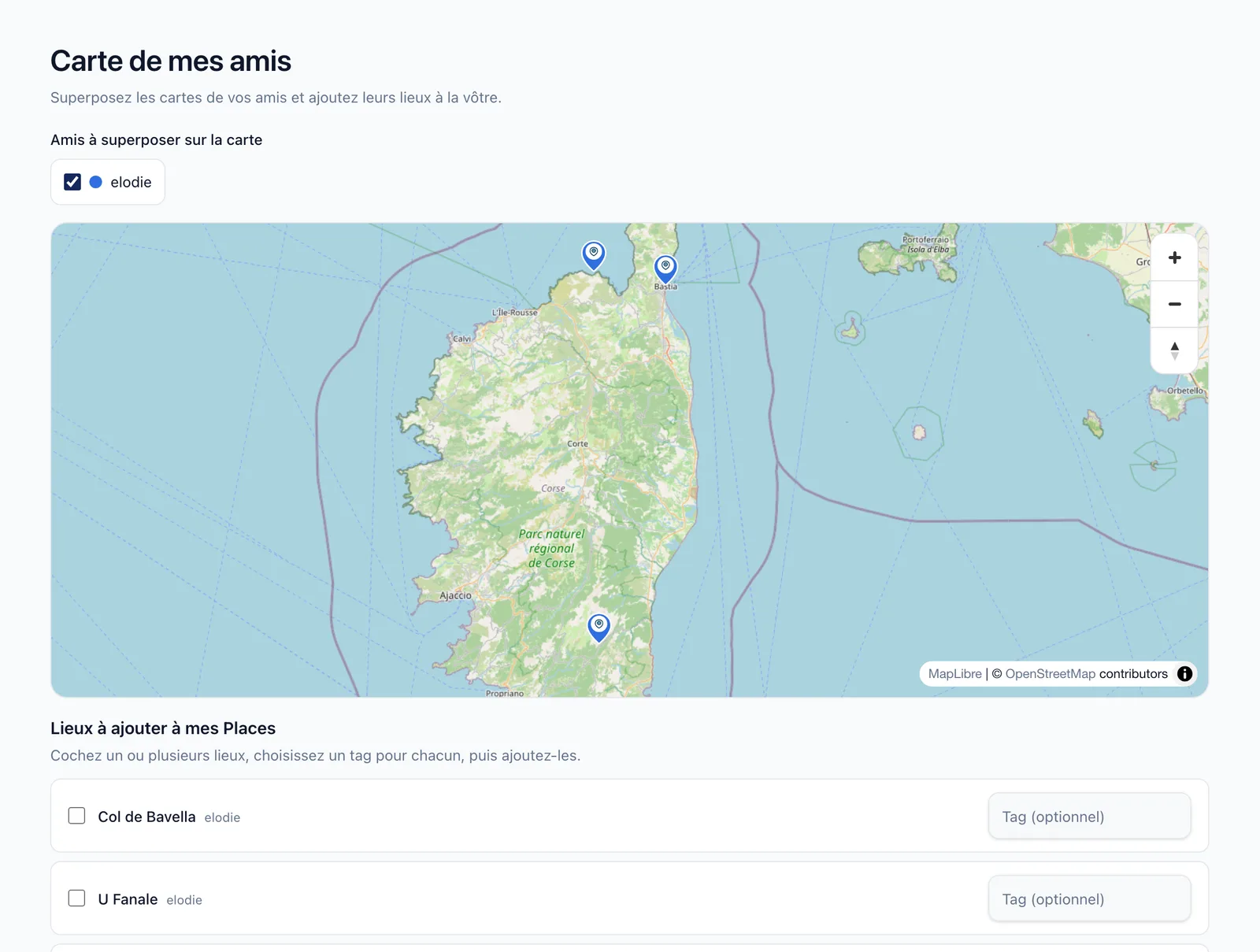
Step C2·2Open “Voir la carte”
That's “See the map”. Tick the friends to overlay: their shared places appear in colour.
-
Step C2·3Take the places you like
Tick them, give them a tag (for example “From Élodie”), then “Ajouter à mes Places” (add to my places).
Real app screenshots, demo account (the app is in French)